Saturday, January 13, 2018

Thanks to Allen Wickman for a fantastic program on Social Media.  We all learned a lot.

Kim Komando, one of my favorite radio program and tech guru, just published an article on
10 Incrediably Useful Low-tech Hacks for High-tech Gadgets  You will be amazed at these easy tricks -- a"Why didn't I think of that" moment.


From Kim Komando

"You know that feeling you get when you have an A-HA! moment? Sometimes it comes after the simplest fix to something that's just been nagging you. It happens to all of us.

As we add to our collections of high-tech gadgets, I had a few A-HA! moments when I realized some everyday items can really help out with organization.

So I picked 10 pretty cool low-tech hacks that are super cheap (you probably have them in the house already) and so easy to do!

1. Don't Step on them!


Anyone with kids knows the horror of stepping on a stray lego. You really can't even put that pain into words. But here is a much better use for all of those lego figures you have laying around. The design of the "hands" make a perfect holder for computer cords! Just stand those little guys on your desk and let them do some work!

2. Super secret drawer


Forget about a junk drawer and create a tech drawer! This is a great way to make your own charging station that's hidden away. You can use hot glue or double-sided tape to secure a surge protector to the back and now you have a space for your phone, laptop and iPad. Check out the rest of her clever hacks at 10 Incrediably Useful Low-tech Hacks for High-tech Gadgets 
3. Bring on the wine
4. Hand-made speakers
5. Sound Advice
6. Add a little cushion
8. Tie 'em up
9. Getting you out of a bind
10. Forget about lights...string your cords


Tuesday, January 9, 2018

The meeting on January 10, 2018 in Classroom 2 will be presented by Allen Wickman.  He will discuss the mysterious jungle called Social Media. Facebook, Instagram, Pinterest and others here we come!

In addition, I would like us to help with the Health Fair by giving our RCW friends information on putting emergency contacts on their cellphones.  If you know how to do this with your brand of cellphone, please bring the information with you and think about volunteering for a little while to distribute this information.  We will be discussing this information at the meeting. 

Wednesday, December 27, 2017

Computer Classes Available at Mission Library

Down the street at Mission and Ajo is the Mission Library.  It has computers and computer classes as well as books, DVDs etc.  Below is a list of their computer classes available at no charge which you might like to investigate to expand your skills and interests.

Schedule updated 1/9/2018

Friday, December 22, 2017

Tricks from Kim Komando to Solve Computer Problems

From Kim Komando:

It happens to everyone at some point. You're doing something on your computer, whether it's an important project, some aimless browsing, or trying to beat your high score on Solitaire, and without warning, you get a spinning wheel or your screen goes black. So, what do you do next?
Sooner or later, the day will come when your trusty computer has a problem. But the first step to figuring out what's wrong, how to fix it and, most importantly, how to save everything on your computer, is to know all the details about your individual system.

Technology Classes at the Mission Library

Want to increase your computer knowledge?  The library just down the road from RCW is offering some classes that you might want to look into.


😊😊😊

This picture was snapped by a Smartphone.  

Wednesday, December 13, 2017

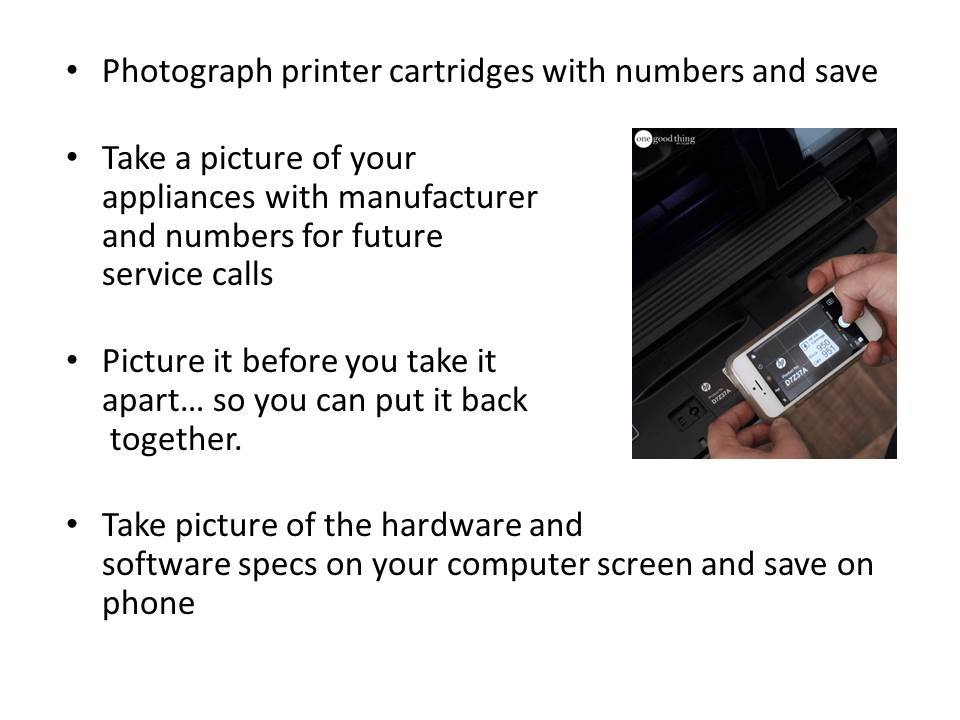
Smart Uses for Your Smartphone Camera

    The images on this page were part of a Powerpoint presentation for the RCW Computer Club.  Live links are listed below the image.  These are clickable.  If the images are too small to  read, use CTRL and your mouse scroll upward to enlarge.      


                  Download Cover Me
        
https://itunes.apple.com/app/coverme-secure-texting-  phone/id593652484?mt=8   


         Video of use            https://www.youtube.com/watch?time_continue=6&v=MEyDt0DNjWU
Download Photo Scan herehttps://www.google.com/photos/scan/


Skyview for iOS or Android


References

        https://mac-how-to.gadgethacks.com/news/10-uses-for-front-facing-iphone-camera-0127659/
YouTube Video – 14 Things You Can Do with a Smartphone Camerahttps://www.youtube.com/watch?v=_4OoL_OugcQ