Wednesday, February 20, 2019


Read Download Stream and Learn!


 Check this out...it is amazing!
Pima County Public Libary Online Resources


OverDrive - eBooks, audiobooks, movies

RBdigital (formerly called OneClick) - eBooks, audiobooks

Freegal Music

  • Download and stream songs in browser on a computer
  • Stream on the app
  • App downloads

RBdigital Streaming Video on Demand (Acorn TV, Pongalo, Qello Concerts, IndieFlix)

  • Watch in browser on computer or mobile device
  • Stream on the app (Same as RBdigital ereading app)

RBdigital Magazines (formerly called Zinio)

Friday, February 8, 2019

Free Book for Your Kindle

Here is a book available on Amazon that is free today.  If you decide to download it, check the price as the free books don't stay free long.

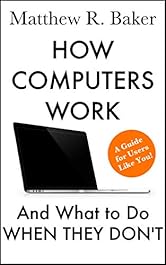
How Computers Work and What to Do When They Don’t: A Guide for Users like You! (The Simple Computer Series Book 1) Kindle Edition


Do you wish you knew more about what makes computers tick?

Is your computer running slow or grinding to a halt?

Are you constantly fending off computer viruses?

Does your definition of “troubleshooting” involve blowing holes in your laptop with a .45?

If your answer to any of these questions is an exasperated “Yes!”, then this is the book for you!


In How Computers Work and What to Do When They Don’t, you will learn:
  • The basic parts of computers and what they do, explained in simple English
  • The Seven Principles of Solving Problems, which you can use to find the solution to any computer problem
  • Simple things you can start doing today to prevent problems in the future
  • What you can do to speed up a sluggish computer and remove viruses
  • How to buy the right computer when it’s time to upgrade
Most people use computers every day, but don't understand much about how computers operate. When a computer stops working correctly, they typically take it to a retailer for repair or, if they’re fortunate, have a technically-minded friend or family member fix it.
This book exists to equip you, the user, with the knowledge you need to start solving your own computer conundrums and—even better—to prevent them from happening in the first place.
Here’s what you get:
  • An overview of computer hardware and software and how they work together to make your computer run
  • A paradigm for how to stop being befuddled when something breaks and start repairing it instead
  • Instructions on maintaining your computer to keep it running smoothly, and things to do when it isn’t
  • A guide for purchasing a computer that fits your needs and budget
  • Over 30 high-resolution images to supplement explanations and how-to procedures
  • Troubleshooting guides for resolving many common technical issues
  • A list of trustworthy resources for resolving additional problems
This book is written for users like you! Whether you want to save money by solving your own tech issues, rejuvenate an old computer, or simply learn more about technology, How Computers Work and What to Do When They Don’t is an invaluable resource!


Monday, February 4, 2019

Next Meeting, Wednesday, February 6, 2017

Oh, Dear!!  What's Happened?

Grandma bailed with my presentation
"What's a Blog"
and I don't know where they landed.

But all's OK because we will talk about all those wonderful Tech gadgets that are available for your devices.  If you have something that you attach to your computer, tablet or phone that is really useful (or fun) bring it with you.  Inspector Gadget will be joining us for this.


Amy Urman Presentation and more...

Just want to thank Amy Urman, PI for a great presentation on "Locating the Living"  Here are her handouts.

Locating the Living
Finding the Living - (handout)
Paper Trail of Death - (handout)


Here is an article on the Super Bowl commercials.
https://innotechtoday.com/top-5-super-bowl-liii-commercials/

They are usually good even if you don't watch the Super Bowl.

 I am embedding the two that I liked best.  The others were high tech but not so entertaining.

Enjoy!

For the parents in the crowd.


Life's Special Moments?

Wednesday, January 23, 2019

Great CyberSecurity Presentation

This morning we had a great presentation by FBI Special Agent Alan Vanderploeg on CyberSecurity.  We had about 115 people attend this presentation and we were all very impressed by the information given and by Agent Vanderploeg who made learning about this serious subject fun.


 He shared with us some counter measures we can take to protect ourselves from Cyber Crime.


Thank you to all who made this possible...Activity Office and Chair Wranglers for help with the room, Steve and Becky Douglas for the technical support, Dave Lyddon , publicity and of course, Agent Vanderploeg for a great presentation.

Sunday, January 20, 2019

FBI CyberSecurity Talk, Wednesday 11:00 am


Don't Forget! 

Image result for Don't forget


CyberSecurity
 
Presentation by

FBI Special Agent Alan Vanderpoleg
Sponsored by RCW Computer Club

11:00 AM
Auditorium

We are very fortunate to have this presentation so please try to come.  

We will also be having our regular meeting at 7:00 pm in Classroom 2  to Unravel the Mysteries of GPS.


How to Think Like a Millenial --Living in a Senior World

Image result for digital natives


Our January 16 meeting was titled How to Think Like a Millenial --Living in a Senior World comparing digital natives (the millenials) with digital immigrants ( seniors).  Below are some links from the presentation and some you might be interested in.

ColorScape -  Turn your photos into coloring pages  https://itunes.apple.com/us/app/colorscape-color-your-photos/id1054822637?mt=8

QR Generator and Scanner  - https://www.qrstuff.com/scan

PhotoMyne - https://photomyne.com/

Videos and More

Millenial Interview  https://www.youtube.com/watch?v=Uo0KjdDJr1c
Generations X,Y,Z --https://www.youtube.com/watch?v=TtIojDWOsgg
Augmented Reality Demo  https://www.youtube.com/watch?v=oH_LfXnklRw
How to use QR Codes  https://www.youtube.com/watch?v=Xe1o5JDwp2k


Saturday, December 29, 2018

Can your smartphone really cause cancer or ADHD?


This is a Podcast by Kim Kommando which has very interesting and alarming information we all need to think about it.


CONSUMER TECH UPDATE

Can your smartphone really cause cancer or ADHD?

They used to say smoking wasn't harmful to our health. Today, researchers and doctors are warning about radio frequency radiation from our wireless technology, but are we listening? Researchers behind the film "Generation Zapped," an eye-opening documentary about health risks such as brain cancer, ADHD and other medical issues caused by RF frequencies, discuss their findings.


Friday, December 28, 2018

Enjoy the New Year!

Image result for books on computers 
I am excited about the Jan. 9 meeting.  Pearl Diaz, a Pima County technology librarian will be presenting a program on all the online resources available through the Pima and Arizona library systems...and it's not just downloadable books.  You can get a library card with your rent receipt and mail addressed to you at Tucson.  For the program, bring your computer or device and your library card and Pearl will show you how to take advantage of the wealth of resources available.


Beautify the New Year...
Check out this website with lovely calendars to print for 2019.  You  will select the calendar, save each month as a picture in a file.  Then you can print it.  FYI, the Mission library at the corner of Ajo has a color printer which you can print the calendar for 10 cents a sheet.  There are some calendars that your grandkids will love as well pretty ones for general use.

https://thecottagemarket.com/2018/12/the-best-free-printable-2019-calendars.html

See you Wednesday, January 9 in  Classroom 2 at 7:00 pm!

Wednesday, December 12, 2018

Technology Night at the Movies


Technology Night at the Movies
Time to Learn Something New!
_______________________
How to Find Videos for
Education and Entertainment
•Finding technology tutorials and how to’s•Finding videos for further education
•Finding videos of movies for entertainment

_______________________
_______________________
How to Search YouTube like a Pro!
•Find a specific YouTube channel
royal wedding, channel
•Watch live videos on YouTube
zoo, live
•Limit your search to recently uploaded videos
oprah winfrey, this week
•Find only official videos, no fan material please
never say never, partner
•Find movies on YouTube
jackie chan, movie
•Find 4K or HD only videos on YouTube
the king’s speech trailer, hd
•.Find 3D video clips on YouTube
avatar, 3d
•Find lengthy videos on YouTube
tom and jerry cartoons, long
•Perform exact-match searches on YouTube
allintitle:”google goes gaga”
•Mix and Match YouTube Search operators
ted talks, hd, this month, long
•The best part about YouTube search is that you combine multiple search operators with commas and apply them all to your query (much like the Boolean AND operator). The above example will help use find all TED talks that have recently been uploaded to YouTube.
_______________________
YouTube Shortcuts

•Space is your go-to key for starting and stopping playback

•Home and End keys get you to the start and end of your video.
•Number keys jump through the video by percentage point (5=50 percent)
 
•cursor keys fast-forward
•
•When watching a clip, click the Add to button then choose Watch Later.
–It’s actually just a playlist that YouTube sets up for you but it’s handy when you don’t have time to watch all the video content you want to right now. From the main YouTube menu you can access the Watch Later list as well as your subscriptions and your viewing history.
_______________________
Channels  of Interest
Other Than YouTube
•The Internet Archive is a web-based library of all sorts of free content, including books, music, software, and, of course, movies. Just as you might associate a physical library with doing research, one of the strengths of The Internet Archive’s video content is its vast collection of historical content.
•The Open Video Project The Open Video Project has been developed at the Interaction Design Laboratory at the University of North Carolina Chapel Hill’s School of Information and Library Science. The site is targeted toward the research community, including those who work with multimedia retrieval and digital libraries.
•TED  The TED website features more than 2,300 talks covering a vast swathe of topics, such as technology, business, design, science, and global issues.
           ______________________
                       More Videos Online

Monday, December 10, 2018

First Meeting


Our next meeting is Wednesday, December 12th which will be Technology Night at the Movies.  Don't Miss It !

Last meeting's information

--------------------------------------------------------------------
 --------------------------------------------------------------------

 --------------------------------------------------------------------
 --------------------------------------------------------------------
--------------------------------------------------------------------

--------------------------------------------------------------------
--------------------------------------------------------------------

--------------------------------------------------------------------

--------------------------------------------------------------------

--------------------------------------------------------------------

 --------------------------------------------------------------------
 --------------------------------------------------------------------
--------------------------------------------------------------------

Now for the Lighter Side